



EASY TO USE • 100% CUSTOMIZABLE • FREE
How it works

Create
Quickly create a great-looking quiz using multiple question types and formatting options

Invite
Invite your participants join with a link or QR code

Analyze
Give your quiz a big finish by announcing top players, their scores and the hardest question
Pricing
FREE (ad supported) for all public quizzes
Templates
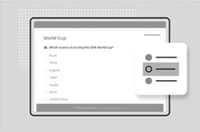
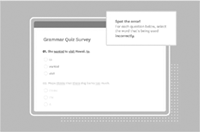
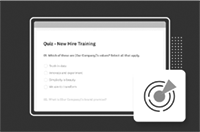
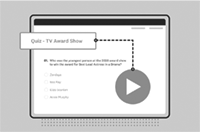
Choose between 100s of templates. Here but a few examples.
Features
✔ Unlimited questions per quiz ✔ 15 question types ✔ Question randomization ✔ Answer randomization option ✔ Customizable welcome page ✔ Customizable thank you page ✔ Add videos, images & audio ✔ Import questions from spreadsheet ✔ Use your logo ✔ Customize themes and colors ✔ Schedule the quiz start and end times ✔ Set maximum quiz attempts ✔ Progress bar ✔ Customizable results screen ✔ Unlimited responses per month ✔ Unlimited responses per quiz ✔ Total number of quizzes ✔ Award bonus points based on speed ✔ Leaderboard
Example quizzes
Check out some of our most successful cutomer's quizzes
Testimonials
-
 We used Brain Battle for our annual training sessions, and it was a game-changer! Instead of the usual dry presentations, we turned learning into a competitive and fun quiz. Our employees were more engaged and retained the information much better. The variety of quiz formats and the ability to customize content made it perfect for our needs. Brain Battle is now an essential tool in our training toolkit. If you want to make learning enjoyable and effective, this is the way to go!
Heber, Cairo Nexus -
 Brain Battle transformed our team's bonding experience! We organized a quiz night that was both entertaining and educational. The platform was incredibly user-friendly, allowing us to tailor questions to our industry while keeping the atmosphere fun and engaging. Everyone loved it! We noticed improved teamwork and communication after just one session. It's a brilliant way to mix learning with entertainment. Highly recommended for any company looking to boost morale and skills in a creative way!
Michelle, Inovaire Consulting SARL -
 As a training manager, I’m always on the lookout for innovative ways to engage employees, and Brain Battle exceeded my expectations. The platform allowed us to create quizzes that were not only educational but also highly interactive. Our team members were motivated to participate, and it sparked discussions that wouldn’t have happened in a traditional training session. The competitive aspect added an extra layer of excitement, making the learning process more effective. Brain Battle is an excellent tool for any company serious about employee development and engagement!
Nils, Araku Ventures -
 We recently used Brain Battle for a product knowledge quiz, and it was a huge success. The platform’s flexibility allowed us to tailor questions specifically to our products, making it a valuable tool for assessing and reinforcing our team’s knowledge. The quiz was fun, engaging, and most importantly, effective. Our employees were excited to participate and the competitive nature of the quiz encouraged everyone to strive for excellence. Brain Battle has proven to be a fantastic way to make learning both enjoyable and impactful. Highly recommended!
Sabine, GreenWave Energy Ltda. -
 Our team loves Brain Battle! We initially used it for a fun trivia night, but quickly realized its potential for professional development. The platform is easy to navigate, and creating quizzes is a breeze. We’ve since incorporated it into our regular training sessions, and the results have been outstanding. Employees are more engaged, and the competitive element adds an extra layer of motivation. It’s the perfect blend of learning and entertainment. Brain Battle has become an invaluable tool for our company’s growth and team cohesion.
Trevor, ZenithTech Solutions GmbH
FAQ
+ Is it really free?
Yes! We offer a free online quiz maker that you can use to create interactive and engaging quizzes in mere minutes. No strings attached. Free forever.
+ What kinds of questions can I use?
Choose between 15 different question types including: match the following, multiple choice, fill in the blanks, hotspot, labeling, audio response, and video response. You can also add images, videos, graphs, audio clips, gifs, and equations to your questions.
+ How can participants access my quiz?
You can send them a direct link, use a QR code or simply go on the Brain Battle website and use a unique code.
+ How can I grade a quiz?
Once you create and host your online quiz, feel free to leave the rest to us. Responses to your questions will be automatically graded and synced with your reports. You can also choose to manually grade responses that call for higher-order thinking.
+ Where do I find the results to my quizzes?
Our online quiz maker provides lightning-quick and detailed reports on your quizzes under the "Reports" section. Get the best insights on individual student performance as well as class performance and track progress across multiple attempts.